
An authorized user filters the activity or transaction log.
Turn Historical Transactions into Visual Operational Evidence
Operational systems create large volumes of useful records: gate entries, zone changes, SAFE reports, HELP requests, assignments and other timestamped events. The challenge is turning those rows into a sequence that investigators and operational leaders can understand quickly.
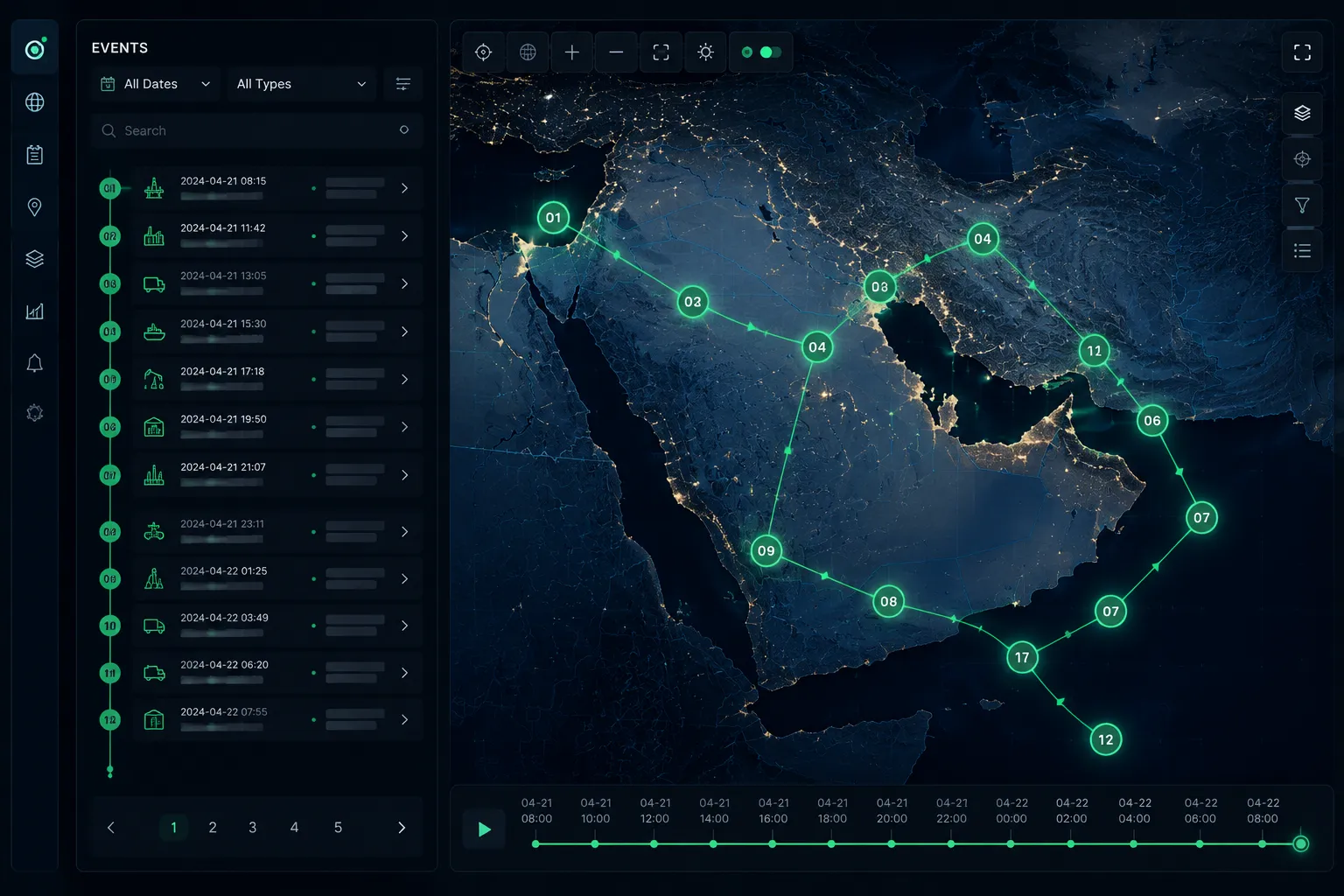
From Access History to Visual Evidence
The first version of LivePOB provided employee access history using timestamps and zone names. As the platform evolved, transactions could also include point-in-time GPS coordinates. Movement Path uses those recorded coordinates to create a visual chronological view.
How Movement Path Works
Specific records are selected for one or more people.
LivePOB plots the selected transaction coordinates on a map.
Each point is numbered and ordered by recorded date and time.
The map and transaction details can be reviewed as operational evidence.
What It Supports
Historical investigations.
Review of activity before, during and after an incident.
Comparison of selected records for multiple people.
Cross-checking remote activity across sites, cities or countries.
Clearer presentation of transaction evidence to management, HSE, Security or auditors.
IMPORTANT CLARIFICATION
Movement Path is not continuous GPS tracking. It visualizes only the historical transactions deliberately selected by an authorized operator. Connecting lines show chronological sequence and do not represent the exact route travelled.
Why the Feature Matters
Rows of timestamps and zone names require people to reconstruct activity mentally. A chronological map makes the same evidence easier to review, compare and explain - without pretending to know movement that was never recorded.
See Movement Path
Explore how historical transaction logs become visual operational evidence.