
One Platform for Daily Visibility, Incident Accountability and Historical Evidence

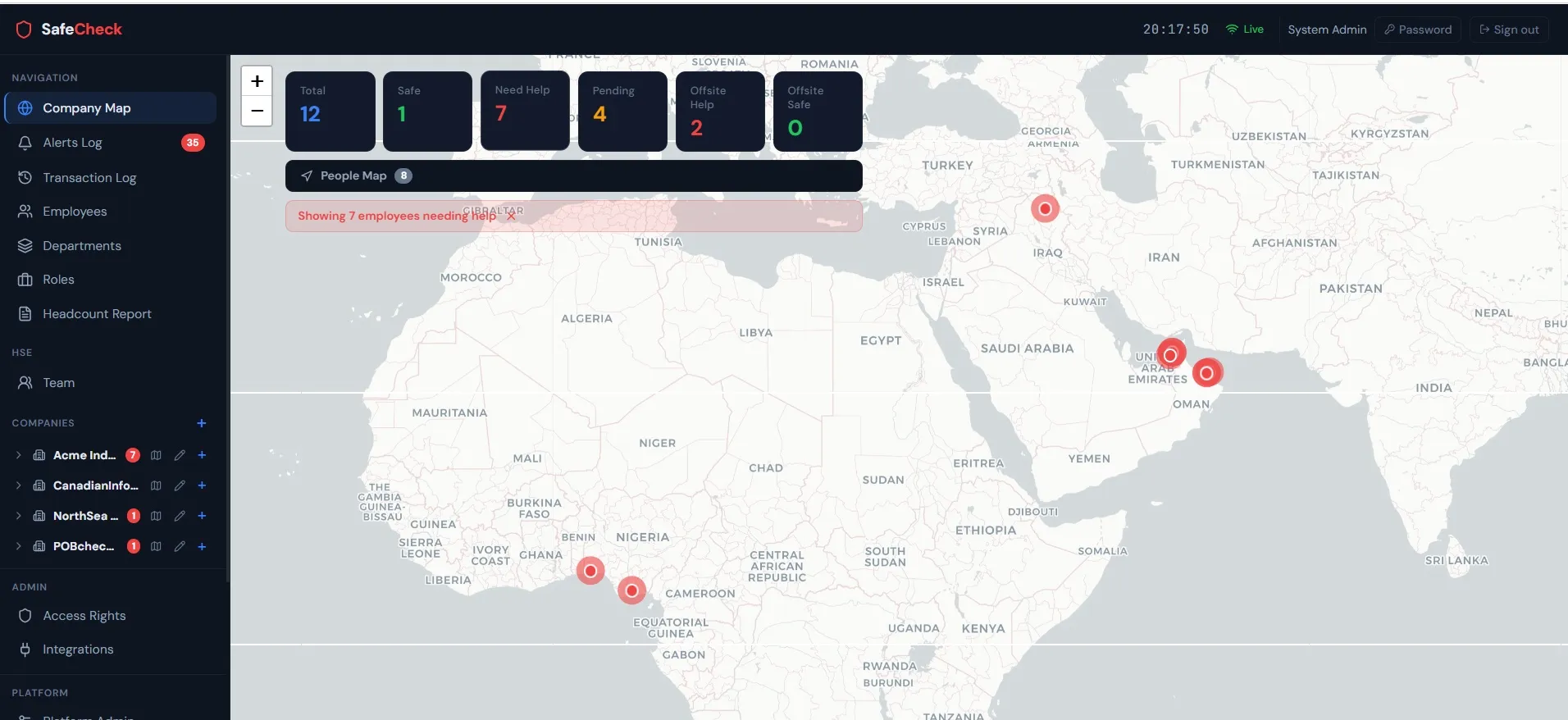
LivePOB brings personnel presence, operational zones, SAFE and HELP reporting, visitors, contractors and recorded activity into one centralized platform - before, during and after critical events.

Live Personnel on Board

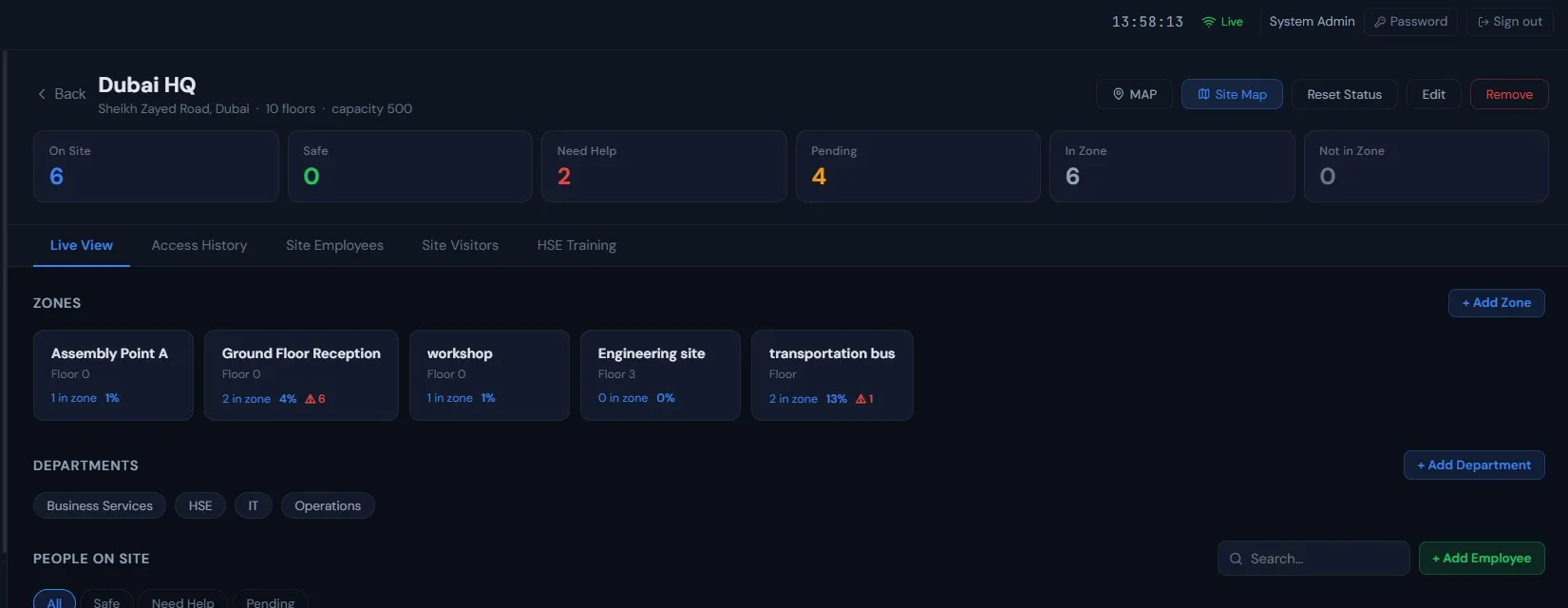
LivePOB maintains a current personnel-on-board view from recorded entry and exit events, assignments, zone transactions and available integrations. Authorized users can see who is recorded on site, their latest available operational context and their current incident status.

SelfMuster

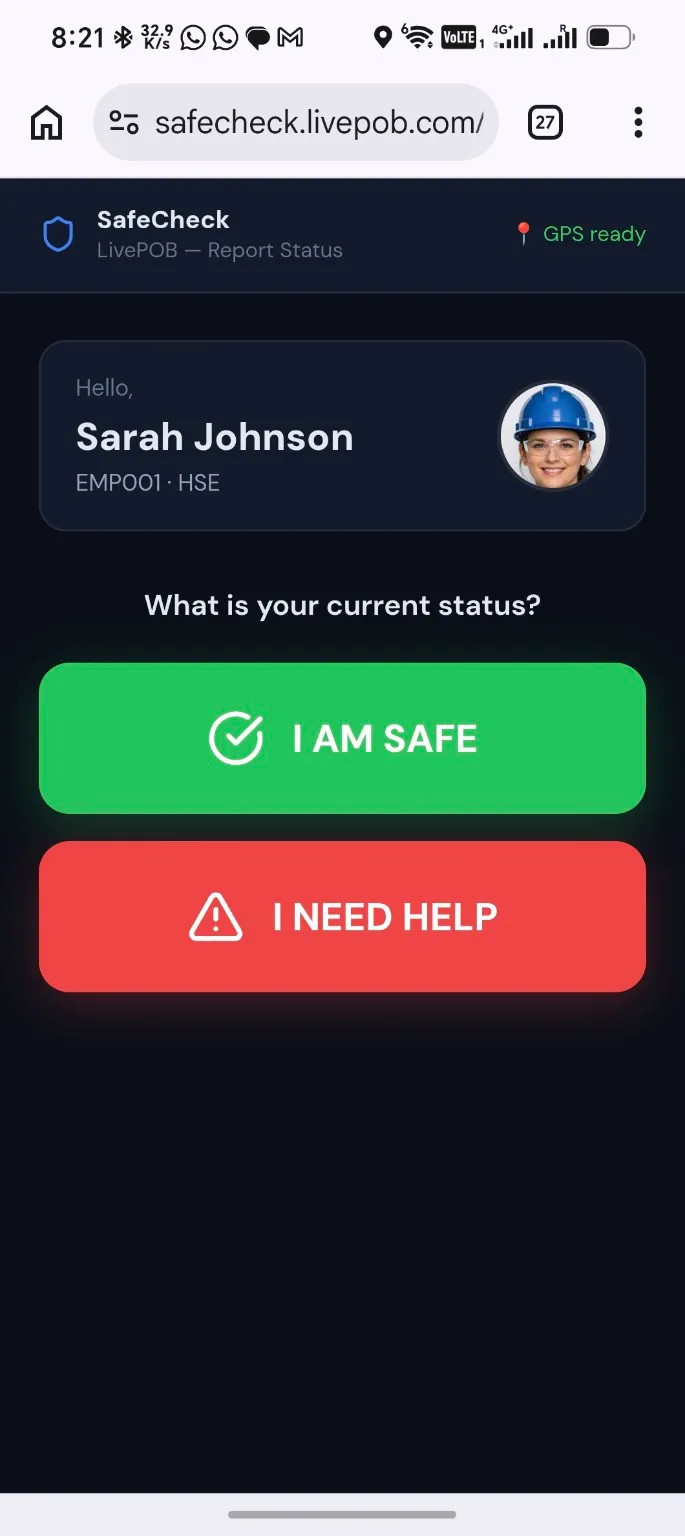
SelfMuster is a QR-enabled workflow for reporting SAFE or requesting HELP from the safest available location. The person's identity is linked to the QR record, not to a specific phone. Any suitable internet-connected device can be used, with no application installation or registered handset required.

Incident Accountability

SAFE, HELP and unaccounted-for populations remain visible in one centralized view. A person is not considered safe based only on a gate record, zone record or previous location. Until a confirmed status is received, the person remains unresolved and available for follow-up.
Hard, Soft and Mobile Zones

Hard zones use recorded physical transitions such as gates or readers. Soft zones represent assigned or declared operational areas without fixed reader infrastructure. Mobile zones represent moving operating contexts such as buses, convoys, vessels or field teams.

Contractor and Visitor Accountability

Employees, contractors and visitors can be included in the same accountability model. Active visitor cards, contractor populations and assignment records remain visible alongside employee data.

Multi-Site and Multi-Company Oversight

LivePOB supports centralized group oversight across multiple companies, facilities, countries and operating locations while preserving role-based local responsibility and access.

HistoricalPOB

Authorized users can reconstruct the recorded personnel-on-board picture at a selected historical date and time, using the transactions and assignments available to the platform.

Movement Path

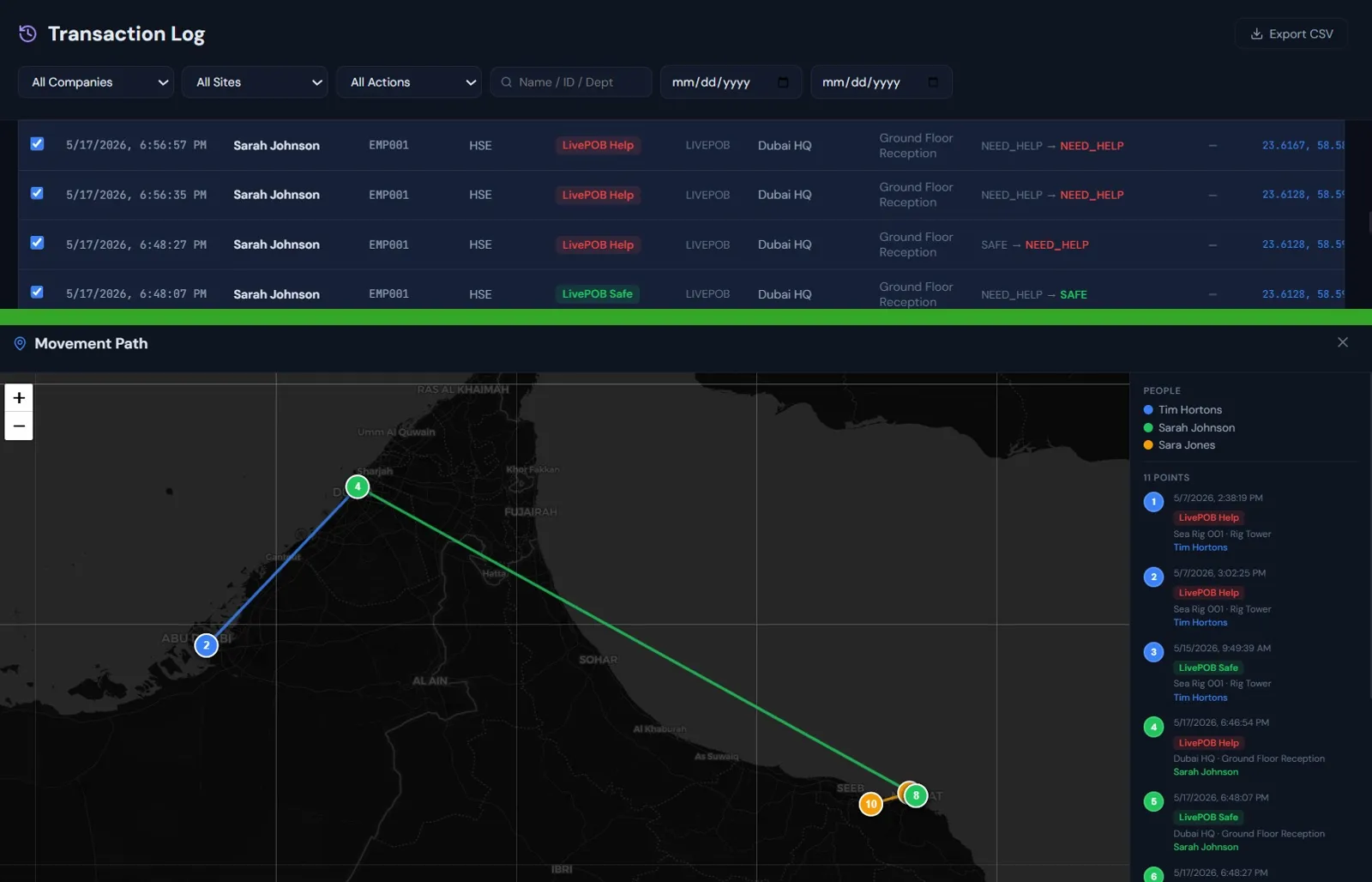
Movement Path allows an authorized operator to select historical transactions for one or more people and display those recorded events chronologically on a map. It turns transaction records into visual operational evidence for investigations and remote activity verification.

REQUIRED CLARIFICATION

MOVEMENT PATH DISCLAIMER

Connecting lines show the chronological order of selected transactions and do not represent the exact route travelled between points.

Incident and Drill Records

Recorded status reports, timestamps, response activity and unresolved populations can be reviewed after drills and real incidents to support learning, reporting and investigation.

Integrations

LivePOB is designed to integrate with existing systems through available APIs, databases, interfaces, or approved data-exchange methods. Existing turnstiles, access-control systems, RFID readers, gates and visitor platforms can contribute operational data where suitable access is available.

Platform Privacy Position

PRIVACY POSITION

LivePOB confirms a person's reported status; it does not continuously track a device.

GPS coordinates may be recorded as point-in-time context when available, permitted and associated with a specific transaction or status report. Location is supporting context, not automatic proof of safety.

Security and Deployment

Role-based access

Access to sites, companies, functions and records can be controlled by authorized roles.

Multi-factor authentication

Additional account protection is available for authorized platform users.

Encrypted communications

Platform communications are protected using encrypted channels.

Database separation

Customer or tenant data can be separated according to the selected deployment model.

Audit and backup controls

Administrative and operational activities can be logged, with backup and retention controls.

Deployment choice

Cloud, dedicated customer cloud or on-premises deployment when requested.

Build One Operational Picture

Bring presence, status, zones, visitors, contractors and historical evidence into one platform.